Parametric design language.
Design as code. We use KCL to represent every object in the scene. Changes are reflected both ways, with zero latency.
CAD for builders
The enclosure for your next project. Brackets that fit just right. The little part you can't buy anywhere.
Design it, then make it real.
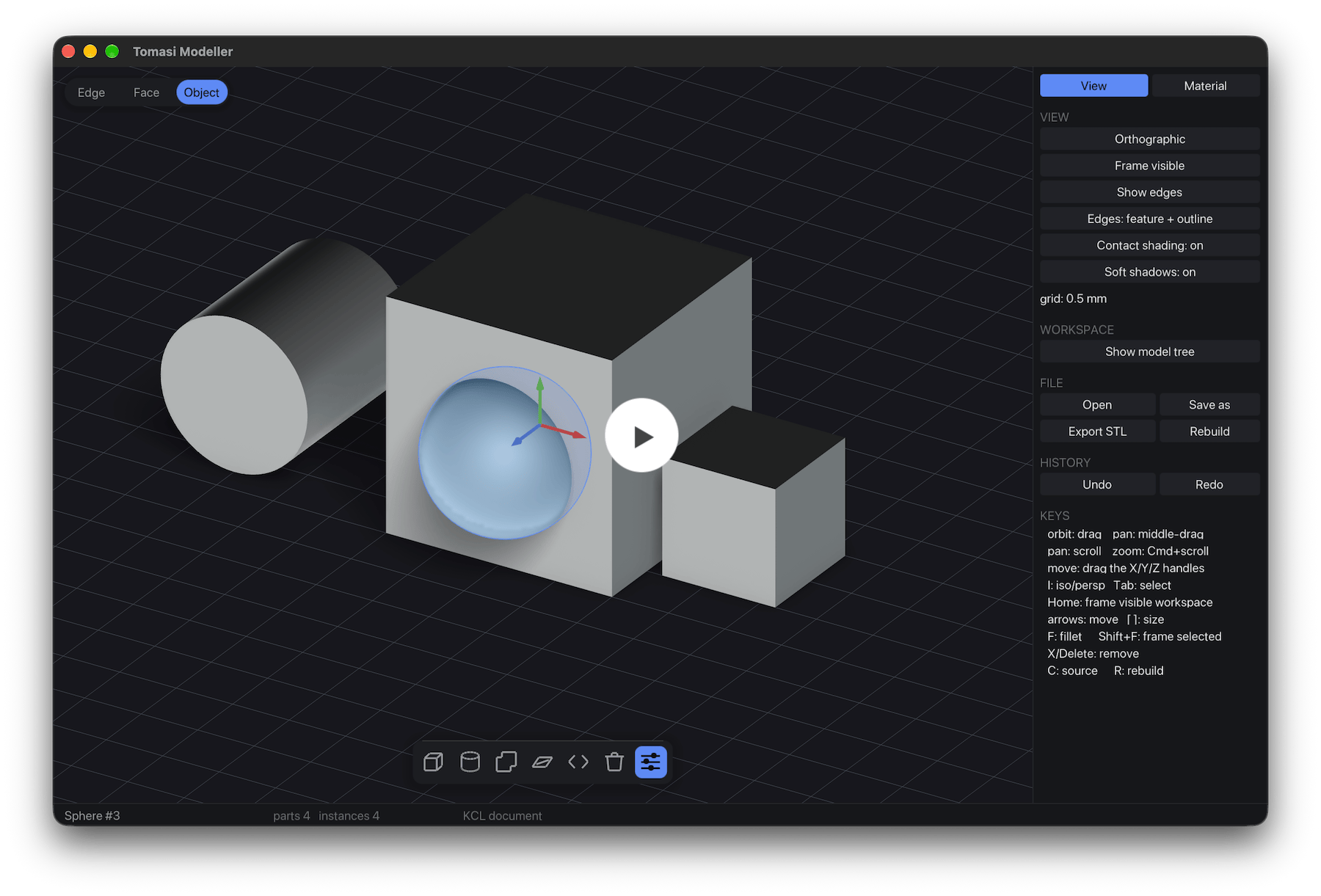
Design as code. We use KCL to represent every object in the scene. Changes are reflected both ways, with zero latency.
Sketch, extrude, push and pull faces, cut and fillet. Start with a rough idea, then refine the shape as you go, without having to travel back in time.
The KCL source is human-readable — and that means agent-readable. AI assitants can edit KCL or use a blender-like python API to design 3D objects.
With fully parametric modelling, you give the enclosure another 10 mm, the lid grows with id, and the screw positions follow the corners. Wall thickness is preserved..
The KCL source is always in-sync with the editor. Work by hand, edit a dimension, or ask AI for a change; you can pick up the result in the viewport and keep working. Edits remain non-destructive. No coding required.
Download the parametric example ↓From a quick shape to a working assembly, with the control to keep refining it.
A lightweight native app that puts your computer to work. Smooth navigation, responsive tools, and local modeling keep up with your hands.
Sketch, extrude, push, pull, and fillet. Shape a housing as freely as a concept model, then dial in the dimensions for a precise fit.
“Make three versions for different board sizes.” Your AI assistant can edit the design through KCL and the CLI interface. Open its changes in the viewport, adjust a face yourself, or undo the edit.
Create parts with shared dimensions and bring them together into an assembly, align them with mates, and check their fit. Reuse the same bracket wherever you need it.
Add screw holes, mating connectors, snap fit, tabs, hinges, and all sorts of connectors. Automatically generated across parts, with adjustable clearance and spacing.
Check dimensions and sections before the next print. Export STL for your slicer or STEP for the machine shop, and bring reference parts into your design.
€99/year for Tomasi Modeller. Here’s how the everyday workflow compares.
| At a glance | Tomasi Modeller | Onshape ↗ | Plasticity ↗ | Tinkercad ↗ | Shapr3D ↗ |
|---|---|---|---|---|---|
| Price / plan | €99/year | US$1,500/yearStandard | US$175 onceIndie · Perpetual | Free | US$299/yearPro · Annual billing |
| Native desktop app | ✅ | ❌ | ✅ | ❌ | ✅ |
| Works offline | ✅ | ❌ | ✅ | ❌ | ✅ |
| Modelling workflow | Direct + parametric KCL | Feature history | Direct solids + surfacing | Primitives + booleans | Direct + feature history |
| Revise a finished part | Edit faces or KCL | Edit feature parameters | Direct face edit | Ungroup and resize shapes | Direct edit or history |
| Advanced part modelling | ✅ | ✅ | ✅ | ❌ | ✅ |
| Direct face editing | ✅ | ✅ | ✅ | ❌ | ✅ |
| Sketch constraints | ✅ | ✅ | ❌ | ❌ | ✅ |
| Parametric model changes | ✅ | ✅ | ❌ | ❌ | ✅ |
| Editable model source | Readable KCL | FeatureScript | — | — | — |
| AI edits through model source | ✅ | ❌ | ❌ | ❌ | ❌ |
| Reusable part definitions | ✅ | ✅ | ❌ | ❌ | ❌ |
| Parts and assemblies | Parts + mates | Part Studios + mates | Organised solids | Groups + Align | Bodies + Align |
| Section views | ✅ | ✅ | ❌ | ❌ | ✅ |
Tomasi models are stored locally and can be edited offline. AI assistants may need an internet connection.
Competitor prices shown in their published USD; no currency conversion. Taxes and regional prices vary. Plasticity includes 12 months of updates. Onshape also has a free plan for public, non-commercial projects; Shapr3D Basic is free with two projects and basic-resolution mesh exports.
Sources checked 7 September 2026: pricing links above, Onshape feature workflow, Plasticity direct editing, Shapr3D direct and parametric modelling, Tinkercad tools.
We're rolling out access in waves. Leave your email and we'll let you know when it's your turn.
No spam, just a heads-up when your invite is ready.
Download a simple enclosure body and flat lid in KCL.
Change the width from 80 to 90 mm; both parts update.
Starter geometry with shared dimensions. Add your own fasteners and cutouts.